
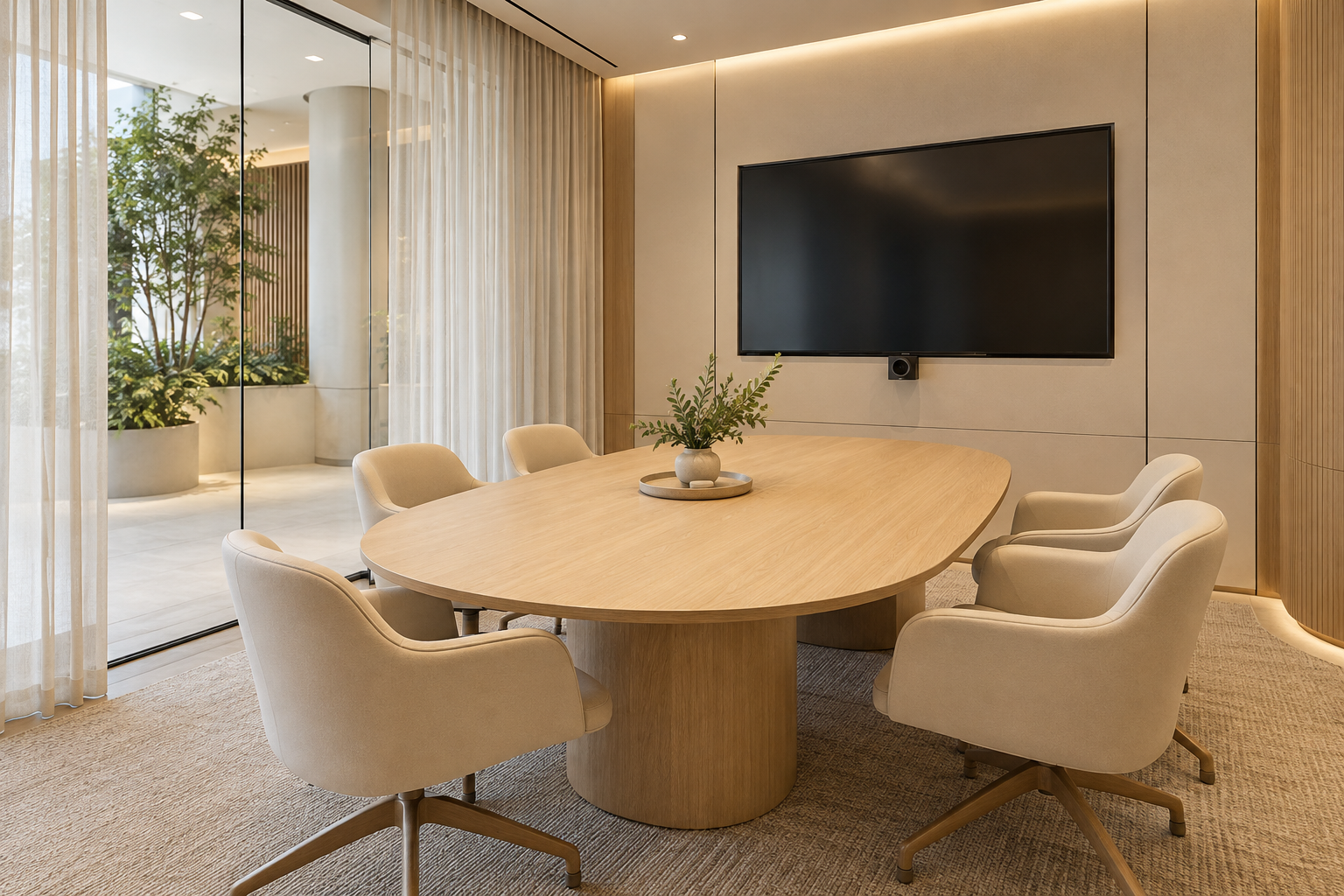
Meeting room design is successful when the people in the room and the people joining remotely can take part comfortably. A large table and a screen are not enough if chairs obstruct the door, faces are poorly lit or conversations spill into the open office. Define the meeting types before choosing the furniture.
For a Singapore workplace renovation, treat the room as a coordinated system of layout, enclosure, lighting, technology and services. These eight decisions help explain the brief to a designer, AV supplier and fit-out team so important requirements do not fall between them.
By Crown Interior Design. A planning guide; the final design and scope depend on the actual premises.
1. Choose the meeting types to support
Separate short team discussions, client presentations, confidential reviews and hybrid meetings. They may need different settings rather than one oversized boardroom. Record the normal group size and the occasional maximum separately. A small room used frequently can be more valuable than a large room that consumes space but rarely fills. Base the mix on the organisation’s real booking patterns where available, not an assumption that every department needs its own enclosed room.
2. Test capacity with chairs occupied
Show chairs pulled out and people entering while others remain seated. Include the position of the display, whiteboard and any storage. A supplier’s table capacity does not establish a comfortable room capacity. Check the route around the furniture and operation of the door. If the space is tight, compare a smaller table or a different room use before reducing circulation to preserve an impressive seat count on the plan.
3. Coordinate camera and screen sightlines
Give the AV supplier the room layout before ordering equipment. Discuss camera position, participant framing, viewing distance and how content is shared. An unusually long table may make people at one end hard to see. Cabling and equipment access should be coordinated with the joinery rather than left to surface improvisation after completion. Ask the supplier to demonstrate the intended experience with the actual platform and equipment wherever practical.
4. Define the acoustic requirement
Distinguish sound within the room from speech transfer to adjacent spaces. A soft wall panel may reduce reflections but should not be treated as a complete privacy solution. Discuss the enclosure, doors and service interfaces with appropriate specialists when performance matters. State what needs to be achieved and how it will be reviewed. Do not accept soundproof as a substitute for a specification or assume a glass room is automatically unsuitable without examining the system.
5. Light people as well as the table
Review the room from the camera position and seated viewpoints. Strong backlight from a window can affect video calls, while a bright fixture reflected in the display can be distracting. Consider control of daylight and artificial light together. The supplier should confirm compatibility if dimming or programmed scenes are proposed. A dramatic pendant may be unnecessary if it compromises sightlines or leaves faces unevenly lit. Use the fixtures to support the meeting rather than decorate an empty ceiling.
6. Keep controls straightforward
Agree how users start a call, adjust the volume, connect a laptop and change lighting. A room that requires specialist assistance for every meeting is unlikely to work as intended. Provide a clear ownership plan for passwords, subscriptions and ongoing support without placing sensitive details in public instructions. Coordinate power and data with the responsible specialists. Include guests and occasional users in the usability review, not just the person who selected the technology.
7. Resolve building services and approvals
An enclosed room may need changes to ventilation, lighting and relevant fire-safety provisions. Ask the fit-out team and appropriate qualified person to assess the proposed work and applicable requirements. Existing services arranged for an open office should not be assumed to serve a new enclosure adequately. Include landlord coordination in the programme. Keep access panels usable so routine maintenance does not require dismantling a decorative ceiling or cabinet.
8. Handover with a working meeting
Test the room using a real call, a presentation and the intended number of participants. Check cable reach, screen visibility and door operation. Record remaining issues with the party responsible for each. Obtain equipment model details, warranties and the support route. If choosing an award-winning workplace designer, ask to see how relevant rooms were planned and coordinated; the award itself does not prove your proposed room will work with your organisation’s technology.
A comparison to use in your brief
| Decision | Question to resolve | Evidence to request |
|---|---|---|
| Huddle room | Short meetings and small groups | Simple controls and comfortable circulation |
| Hybrid meeting room | Remote and in-person participation | Camera, audio, light and content sharing |
| Presentation room | Content visibility and client discussions | Screen sightlines and furniture arrangement |
| Confidential room | Sensitive conversations | Appropriate enclosure and privacy specification |
A practical planning example
An illustrative six-person room is used mainly for calls with remote clients. The brief therefore prioritises camera framing, face lighting and simple screen sharing over an oversized decorative table. Testing an actual call before handover can reveal problems that an empty-room photograph cannot. This planning example is not a claim about a completed Crown Interior Design project or a guaranteed acoustic outcome.
Prepare a useful enquiry
- Meeting patterns and normal group sizes
- Video platform, AV requirements and support owner
- Privacy expectations and adjacent activities
- Furniture plan and landlord fit-out requirements
Frequently asked questions
Should I maximise the seat count?
Prioritise the number that can use the room comfortably with circulation, equipment and doors accounted for.
Will acoustic wall panels make a room private?
Not by themselves. Speech privacy depends on the complete enclosure and interfaces, not one decorative treatment.
When should AV equipment be selected?
Early enough to coordinate its mounting, cabling, power, camera sightlines and maintenance access before fabrication.
Discuss the scope with Crown Interior Design
Share your floor plan, site photographs, intended use, timing and budget priorities. Explore Crown Interior Design’s interior design and renovation services and commercial projects, then request a project quotation. For specialist premises, explain the professional input and relevant experience your project requires.
Related Crown Interior Design guides: Office interior design singapore ideas space planning workplace design guide · Award winning office interior design evaluation singapore.
For a related planning checklist, read RenoLinkUp’s guide to defining an acoustic privacy brief.
Official reference: SCDF plan-approval guidance. Confirm current requirements with the appropriate parties for your actual property and proposed works.