
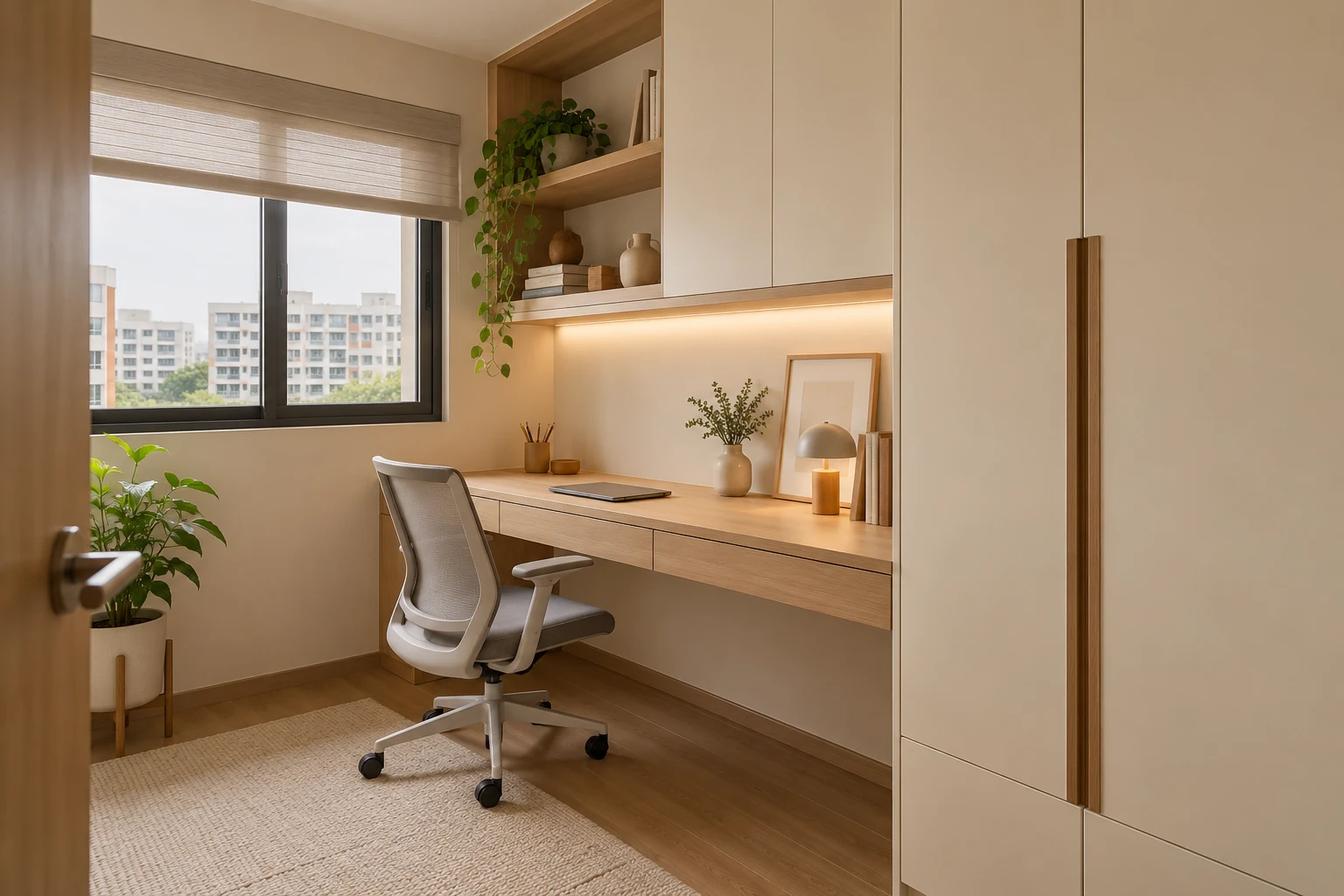
A built-in study table can make an awkward corner useful, but it also fixes the position of work in the room. Before committing, check whether the desk will support the actual equipment, chair and daily routine rather than simply filling a wall with timber.
This guide focuses on the fixed desk and its interfaces. For decisions about a whole room, use the separate study-room design guide. Separating the desk specification from the room concept makes it easier to compare custom carpentry with an adjustable or freestanding alternative.
1. Start with the actual work setup
List the equipment you use together: laptop, monitor, keyboard, mouse, drawing pad, lamp, books and charging devices. Record stand footprints and cable positions. A wide monitor can fit on a shallow desk while leaving too little room for the keyboard or a comfortable viewing position.
Think about tasks as well as devices. Reading and handwritten work need clear surface area. Video calls need a considered camera position and background. Hobby work may need protection or different storage. Give the designer an ordinary working-day description so the surface is planned around use rather than a staged laptop and plant.
2. Test the chair and seated position
Use the chair you intend to keep, or provide its full dimensions and adjustment range. Check the armrests, seat movement and space needed to stand up. A drawer unit that looks compact in elevation can restrict knees or force the chair away from the useful centre of the desk.
Where possible, mock up the proposed top height and depth with a temporary surface. This is especially useful for a fixed desk that cannot be adjusted later. If several people of different sizes will use the table, an adjustable freestanding desk may be more appropriate. Custom carpentry should solve a problem, not remove flexibility that the household needs.
3. Make the dimensions work with the room
Review the occupied chair position against doors, wardrobe drawers and the bed. A desk in a bedroom has to coexist with activities outside working hours. Test the route when the chair is pulled back and the nearby storage is open.
Check windows, curtains, skirting, wall projections and any service access. A wall-to-wall top may need more coordination than a loose desk that stops short of these elements. Ask who verifies the site dimensions and how uneven walls or an out-of-square corner will be addressed. Final fabrication should follow the measured premises rather than the broad sales-plan outline.
4. Review support and intended loads
A long floating top needs an appropriate support design for its span, material and load. Monitor arms, printers and concentrated stacks of books can affect that design differently from a lightly used writing surface. Give the fabricator the equipment information before the support arrangement is finalised.
If you want a clamp-mounted monitor arm, confirm the fixing area, edge clearance and the suitability of the selected top with the relevant supplier. Do not assume every decorative surface can accept a clamp. Ask how supports affect knee space and whether a leg or cabinet would provide a more practical arrangement than an unsupported-looking span.
5. Plan cable access without hiding maintenance
Identify where power, data and charging connections need to be accessible. Cable openings should be positioned for the actual equipment rather than added as an afterthought. Consider how you will replace a charger or unplug a monitor after the desk is installed.
A removable access section may be helpful, but it should be designed and demonstrated. Avoid a neat-looking solution that traps plugs between the wall and a fixed top. Electrical alterations require the appropriate professional scope; use EMA’s guidance on engaging licensed workers rather than treating a carpentry drawing as an electrical installation instruction.
6. Coordinate lighting, glare and video calls
Observe the intended position during the hours you normally work. A window can provide pleasant daylight while creating reflections on a monitor at another time. Review the screen direction, window treatment and task lighting together instead of assuming a desk must always face the window.
Check whether overhead shelves cast shadows on the work surface. A decorative strip light may not provide useful light for reading or detailed work. For video calls, test the likely camera view and whether a strong light source behind you makes the image difficult. These checks can often be made before any fixed work is approved.
7. Put storage where it helps rather than competes
Decide which items need to be within reach and which can be stored elsewhere. A printer, files and stationery may need very different compartments. Measure equipment doors and paper-feed access, not only the printer body.
Check overhead storage against head movement and the intended monitor height. A low shelf across the whole desk can make the work area feel constrained and limit future equipment. Ask whether shelves can be adjustable or whether a smaller side cabinet would be more useful. Storage capacity should not be gained by sacrificing the working position the table was intended to support.
8. Specify finishes and future changes
The front edge is a frequent contact point. Review its profile and finish with a physical sample, and ask for cleaning instructions. Decide how the surface will cope with the actual tasks, including writing, mouse use and occasional spills.
Think about equipment replacement and a possible room change. A desk designed tightly around one monitor or chair may become inconvenient later. Confirm whether drawer units, shelves or cable components can be changed independently. When comparing quotations, include top construction, supports, finish, hardware, cable access, installation and any related electrical scope so the alternatives are genuinely comparable.
Custom or freestanding?
| Option | Useful when | Check before purchase |
|---|---|---|
| Built-in fixed top | A measured niche needs an exact fit | Seated comfort, supports and future access |
| Freestanding desk | The room may change use | Equipment fit and cable management |
| Adjustable desk | Users or working positions vary | Movement range and clearance to nearby cabinetry |
A realistic bedroom-study example
A homeowner wants a full-width fixed desk beneath a window, with drawers on both sides. Testing the actual chair reveals that the centre opening is narrow and the monitor arm cannot clamp to the proposed edge. Instead of keeping the symmetry, the design can use one drawer unit, a suitable support and a clearly specified equipment-fixing area.
This illustrative exercise shows why the chair and equipment should be part of the brief. It is not a completed Crown Interior Design project or a recommendation for a universal desk dimension.
Frequently asked questions
Is a built-in table always more space efficient?
It can use a particular niche well, but fixed cabinetry can also limit chair movement and later changes. Compare the occupied footprint, not only the top’s dimensions.
Can two people share a long built-in desk?
Check each person’s chair movement, equipment, power needs and working routine. A long surface alone does not establish two comfortable work positions.
Should I order the chair first?
At least establish the intended chair and its dimensions before final approval. A physical test is helpful where the desk height and drawer arrangement will be permanently fixed.
Use the drawing review checklist to confirm the fixed top, supports and equipment interfaces before fabrication.
Plan a workspace that fits your home
Read the custom carpentry specification guide and explore Crown Interior Design’s services. Send the floor plan, chair dimensions and equipment list to discuss an appropriate study-table and renovation scope.